Code Busters is a Playground game that turns review into a heist. Every student locks a vault with a secret code, answers questions to earn gems, and then tries to crack a classmate's code to steal some of their gems. Correct answers matter twice: they earn gems and they charge a hint for cracking codes.
In this article, we will go over how Code Busters works, how to set it up, what students do in the game, and answers to the questions teachers ask most.
In this article, we will go over:
- Quick facts
- How Code Busters works
- How to start a Code Busters session
- Configuring your session
- What students see
- Your in-session controls
- End of session results
- Tips for running Code Busters well
- Troubleshooting
- FAQ
Quick facts
- Format: live, every student for themselves
- Best for: energizers and competitive review
- Session length: 3, 5, 7, or 10 minutes (default 5)
- Class size: at least two students
- Questions: Multiple Choice and multi-select only
- Devices: laptop, desktop, Chromebook, or tablet; small phone screens aren't supported
- Ranking: by gems at the end of the session
How Code Busters works
Every student starts with 500 gems and plays in a loop:
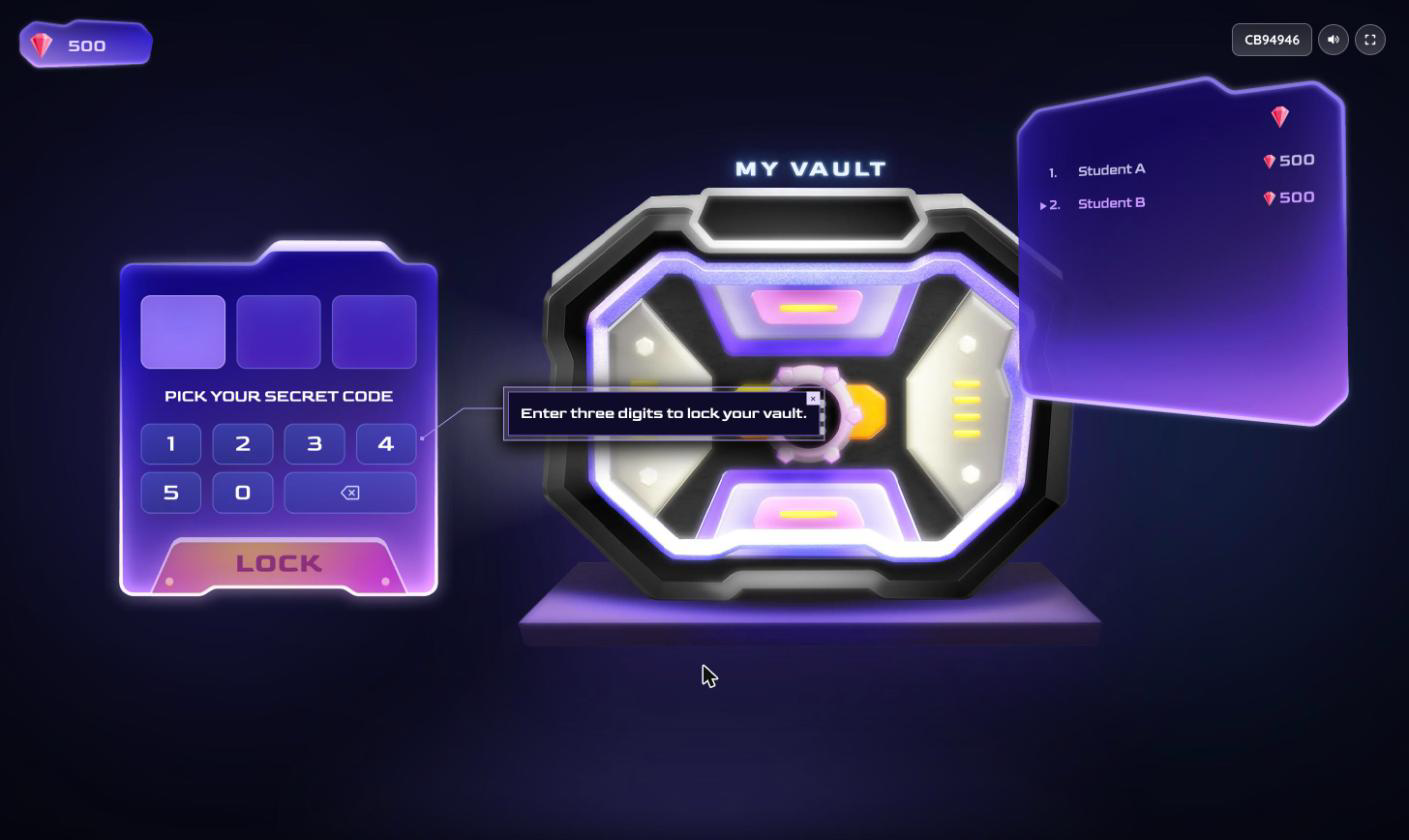
- Lock your vault: pick a secret code of three different digits, from 0 to 5.
- Answer questions: answer a round of questions. Each correct answer earns 200 gems and adds one charge to a hint. Gems are added when the round ends, and wrong answers don't cost anything.
- Crack a code: after each round, the student is matched with a classmate's vault and gets three guesses to crack it.
- Repeat: the student goes back to a new round of questions.
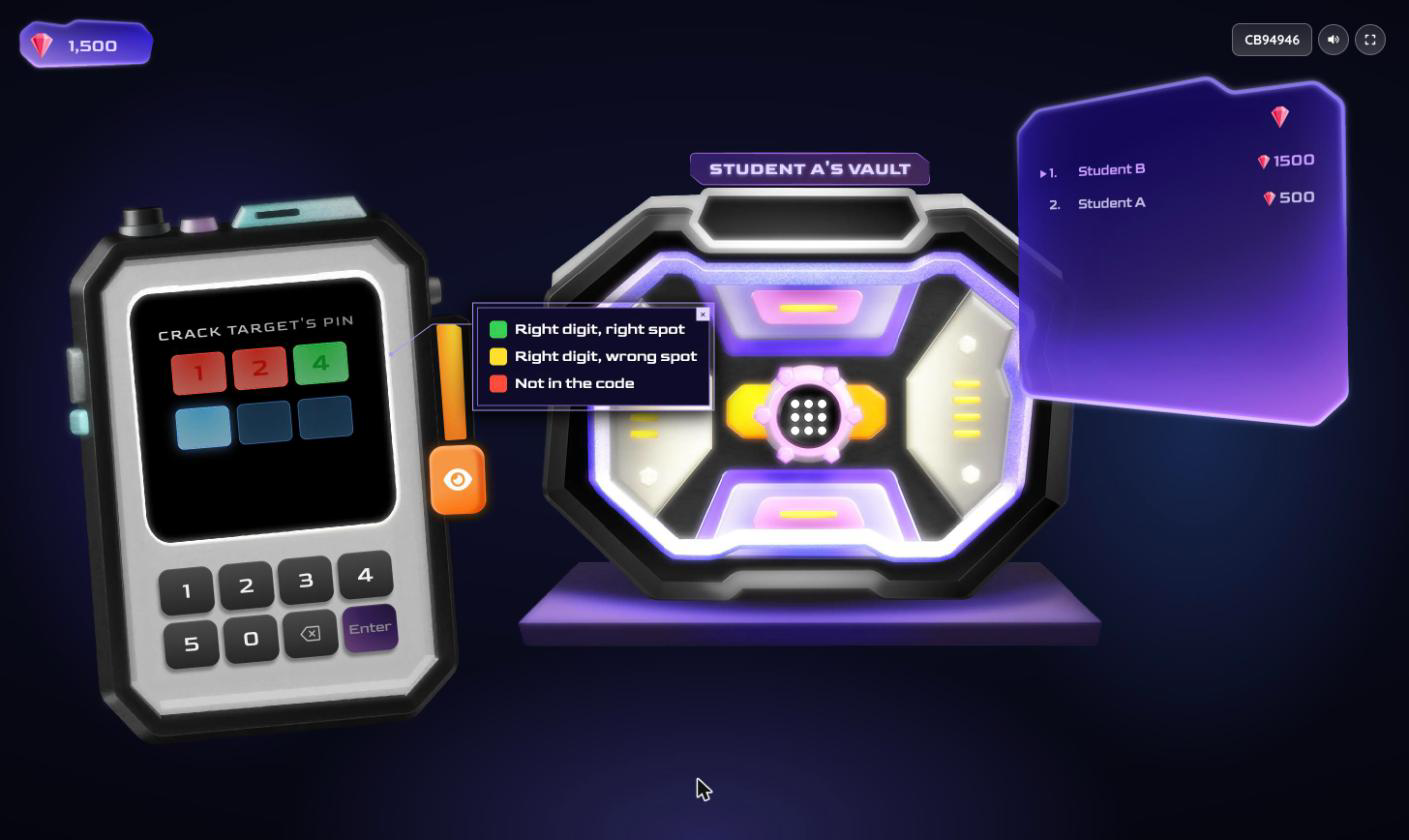
After each guess, the digits change color:
- Green: right digit, right spot
- Yellow: right digit, wrong spot
- Red: not in the code
A student who cracks a code steals 20% of that classmate's gems. The classmate then sets a new code after finishing what they're doing. When a student's hint is fully charged, they can use it during a hack to reveal one digit of the code.
How to start a Code Busters session
Code Busters launches only through 'Start now', not through 'Assign'. Here are the steps:
- Open 'My Library' and pick a resource with Multiple Choice or multi-select questions, or search for one in the 'Wayground Library'.
- Click on 'Play', then 'Start now'.
- Choose 'Student paced', then 'Playground'.
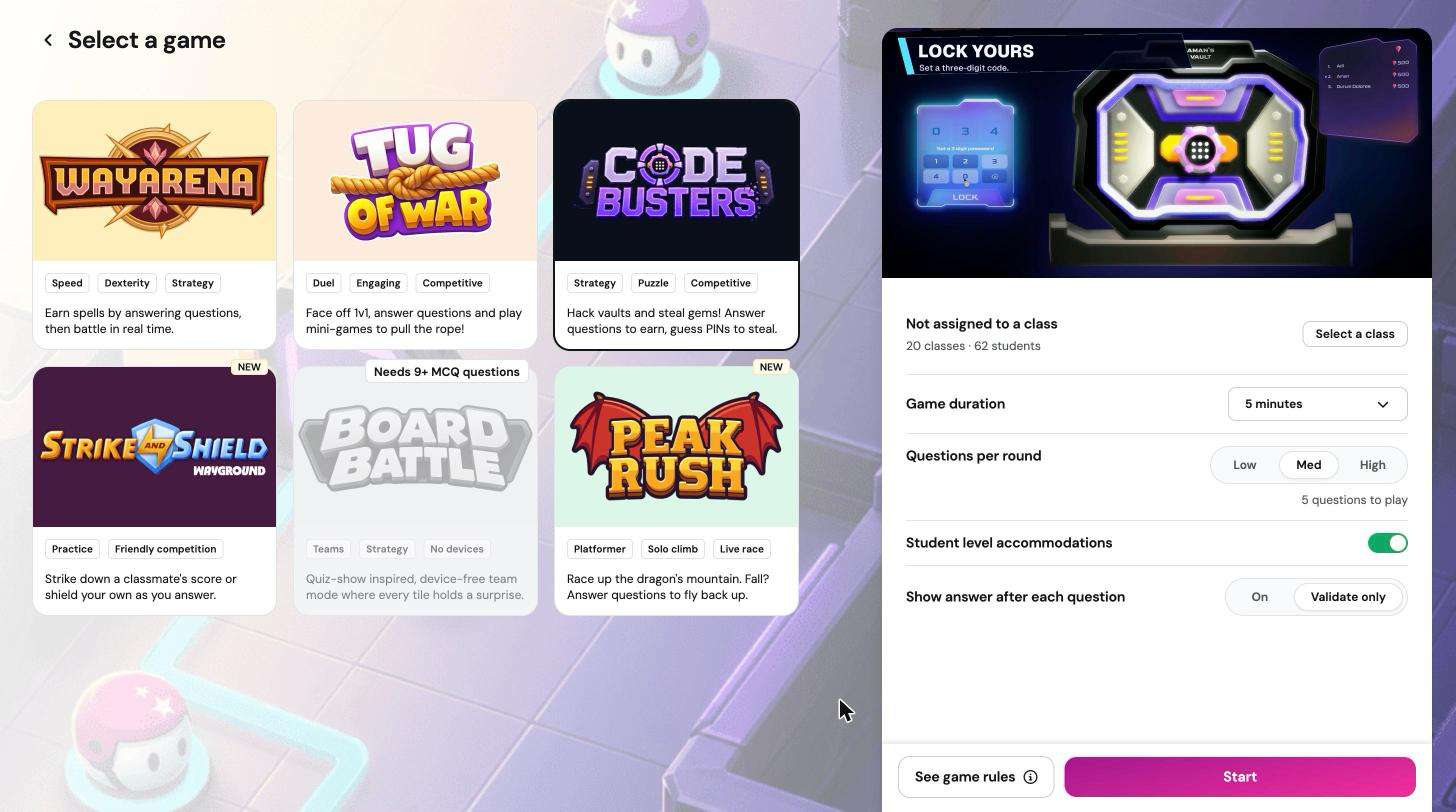
- On the 'Select a game' screen, click on 'Code Busters'.
- Adjust your settings (see below), then click on 'Start'.
- Share the join code or QR code with your class. Students join at joinmyquiz.com.
Configuring your session
- 'Assign to a class': optional. When a class is assigned, only students in that class can join.
- 'Game duration': '3 minutes', '5 minutes' (default), '7 minutes', or '10 minutes'.
- 'Questions per round': how many questions students answer between hacks: 'Low' (three), 'Med' (five, default), or 'High' (eight). It also sets how many correct answers it takes to fully charge a hint.
- 'Student level accommodations': available when you have accommodations set up for your students.
- 'Show answer after each question': 'On' or 'Validate only' (default).
What students see
Share this section with your class before the first session:
- Enter the join code and your name, then click on 'Start'.
- When the session starts, read the 'Mission' and click on 'Accept mission'.
- Pick three different digits to lock your vault.
- Answer the round of questions to earn gems and charge your hint.
- Crack a classmate's code in three guesses using the color clues. Use your hint to reveal one digit when it's charged.
- If someone cracks your code, you lose 20% of your gems and set a new code.
Students who are signed in can also design a custom vault in the lobby. Each custom vault costs 10,000 coins and one monthly create credit.
Your in-session controls
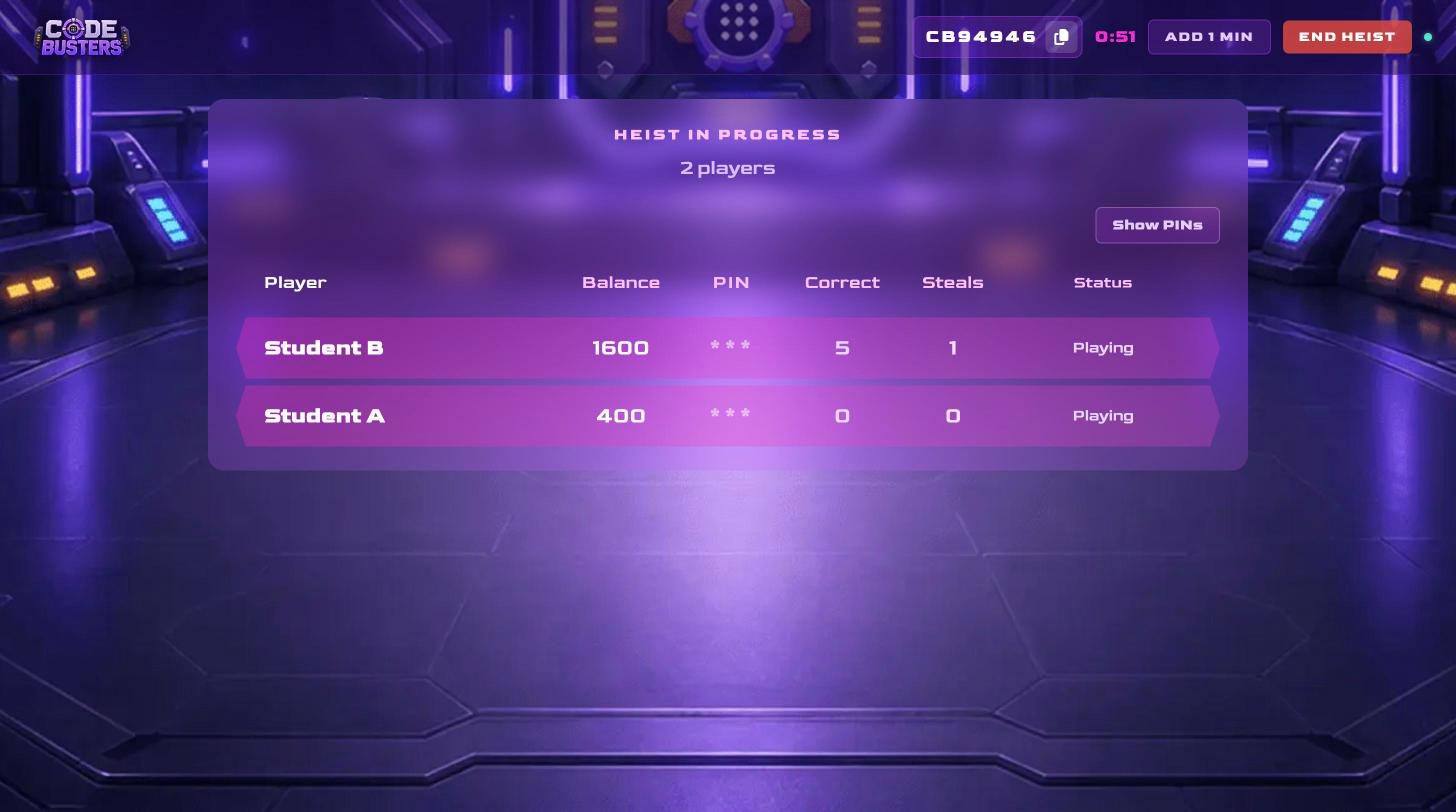
Your screen shows the timer, the join code, and a live table with each student's 'Balance', 'Correct' answers, 'Steals', and 'Status'.
- 'Add 1 min': extends the session by one minute. Use it as often as you need.
- 'End Heist': ends the session right away.
- 'Show PINs': reveals every student's code on your screen. Keep codes hidden while you project, or students can see each other's codes.
Important: If your screen is projected, leave 'Show PINs' off.
To remove a student, click on the trash icon next to their name in the lobby, before the session starts.
End of session results
When the timer runs out, or when you click on 'End Heist', you see:
- Podium: the top three students by gems.
- 'Heist scores': class accuracy, a review of missed questions, the 'Highest Accuracy' student, and a leaderboard you can sort by 'Steals', 'Accuracy', or 'Gems'.
- Buttons: 'Restart Heist' sets up a new session with the same resource and settings. 'View Report' opens the full report in a new tab.
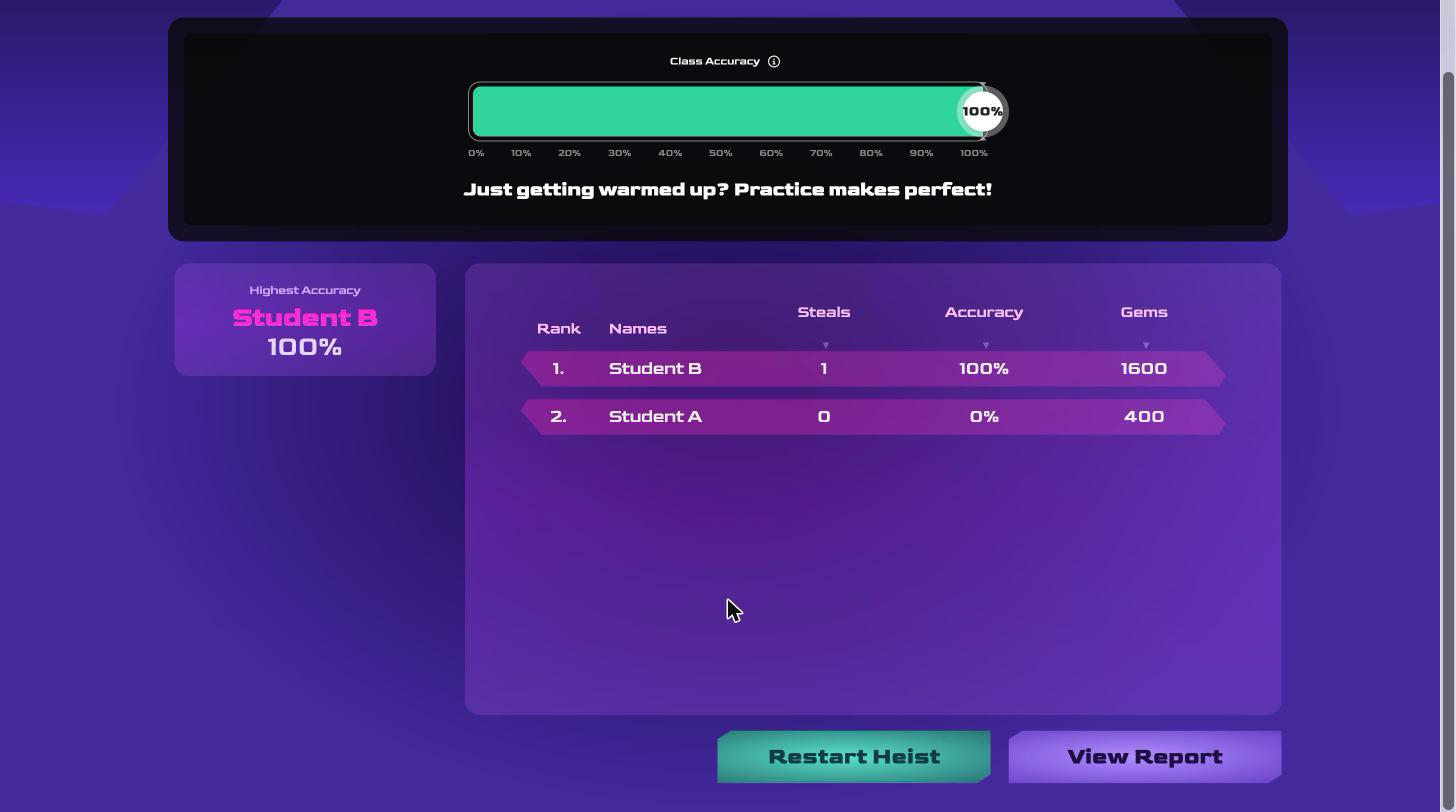
Students are ranked by gems. When two students have the same number of gems, the one with more steals ranks higher.
Tips for running Code Busters well
- Use 'Low' for faster rounds and more hacking, or 'High' when you want more practice between hacks.
- Remind students that cracking codes only happens after a round of questions, so answering carefully pays off.
- Keep 'Show PINs' off whenever your screen is projected.
- Play with at least four students so there are always vaults to crack.
Troubleshooting
A student sees "Device Not Supported"
Code Busters needs a larger screen. Ask the student to join from a tablet, laptop, desktop, or Chromebook.
A student lost their connection
Ask them to refresh the page and rejoin with the same code. Their gems, vault code, and progress are saved, including guesses in the middle of a hack.
I can't start the session
Code Busters needs at least two students to start.
FAQ
Can the same student be hacked more than once?
Yes. Once a student sets a new code, any classmate can try to crack it again.
Can students target anyone in the class?
Yes. Wayground picks a target from any classmate with a locked vault and spreads hacks evenly so no one student is picked on.
Do wrong answers lose gems?
No. Gems are only lost when someone cracks your code.
Why are some students waiting instead of hacking?
A student who sees 'Finding a new target' has finished a round, but no vault is open to them right now. Usually that's because:
- Vaults are unlocked: a hacked classmate finishes their current round before choosing a new code, and nobody can target them until then.
- They've cracked everyone: a hacker can't hit the same vault again until its owner sets a fresh code.
- The group is small: with two or three players, open vaults run out quickly.
As soon as any classmate locks a vault, the waiting student gets a new hack with all three guesses. Waiting never costs gems. If they see 'Target compromised', someone else cracked that vault first, and Wayground assigns another one automatically.
Can students join late?
Yes. Late students start with 500 gems and play until the same end time as everyone else.
Do students see a countdown?
The timer appears on your host screen. Project it so students can see how much time is left.
Can students play at home?
No. Code Busters is a live classroom game that you host.
Related articles
Still have questions? Contact our support team at support@wayground.com.
Was this article helpful?
That’s Great!
Thank you for your feedback
Sorry! We couldn't be helpful
Thank you for your feedback
Feedback sent
We appreciate your effort and will try to fix the article