Student generation experiences and limits
Students in the US can build something of their own through a set of creation experiences: Aura Lab, Shoe Forge, WayArena maps, Tug of War worlds, and Code Busters vaults. These appear in the Shop and in Playground activities only.
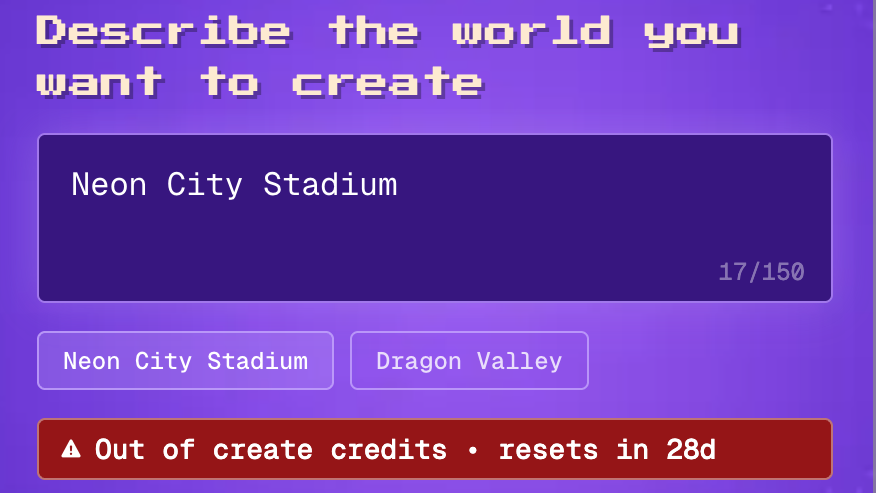
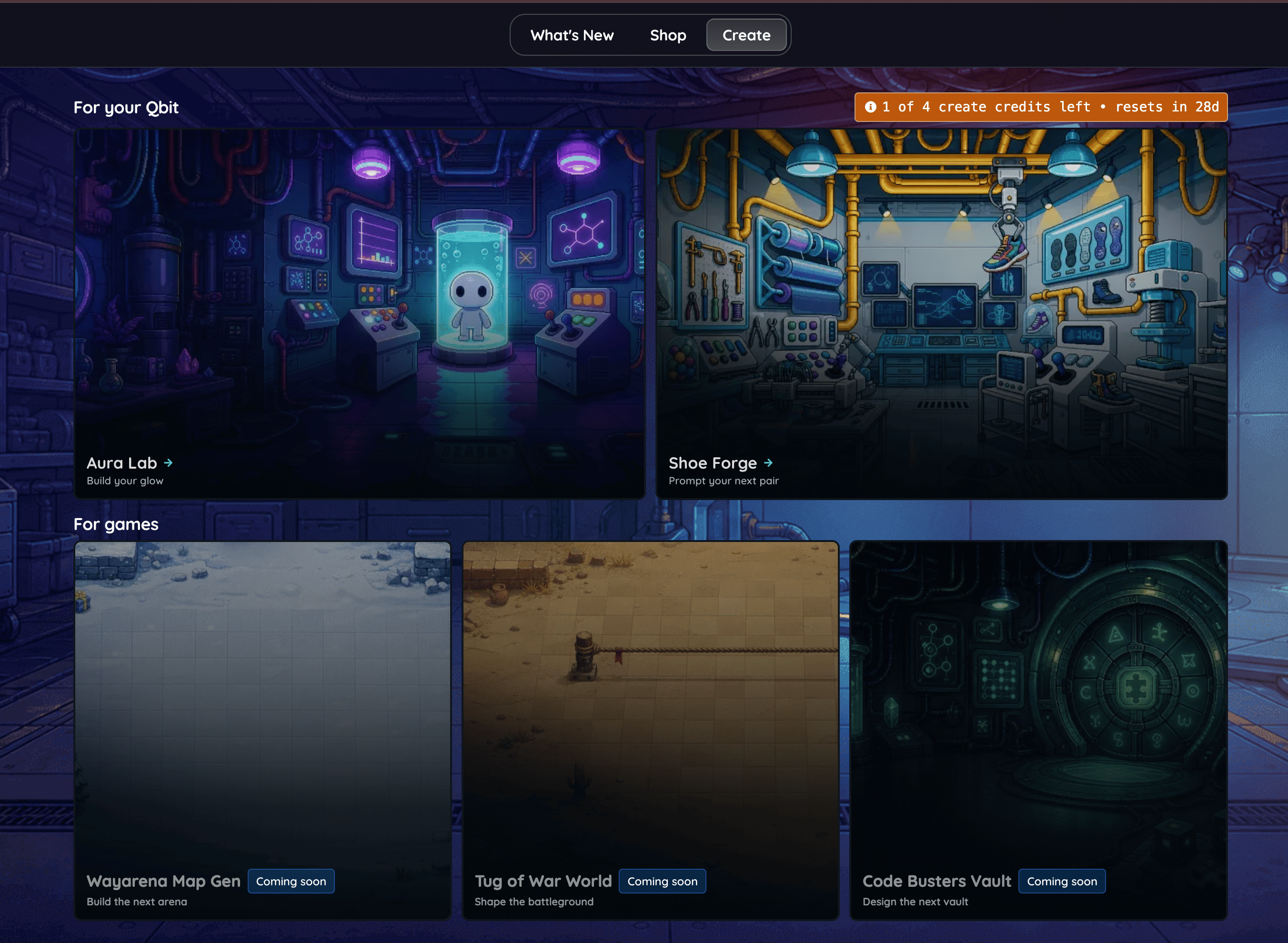
A shared monthly pool of create credits governs how often students can use these experiences. Each generation uses one credit, so you always know exactly how much is left before a student starts building.
In this article, we will go over the creation experiences students can access, how create credits work, where they are used, and how to check the balance remaining.
In this article
Creation experiences students can access
Students in the US have access to the creation experiences listed below:
Aura Lab
Shoe Forge
WayArena maps
Tug of War worlds
Code Busters vaults
These creation experiences appear in the Shop and in Playground activities only.
Monthly generation limits
A shared monthly pool of create credits governs how often students can use the experiences above. The sections below cover what those credits are, where they are spent, and how to check the balance remaining.
What create credits are
A create credit is a single generation. Every time students submit a prompt and something new is generated for student, one credit is used.
Note: Items you have already generated stay their. Spending a credit does not remove anything they created earlier.
Where create credits are used
Credits are spent in the creation experiences listed below:
Aura Lab
Shoe Forge
WayArena maps
Tug of War worlds
Code Busters vaults
These creation experiences appear in the Shop and in Playground activities only.
Note: Credits apply only to student generations. Answering questions, joining a session, and completing assigned work are never affected.
How to check remaining create credits
To see how many credits are left, follow these steps:
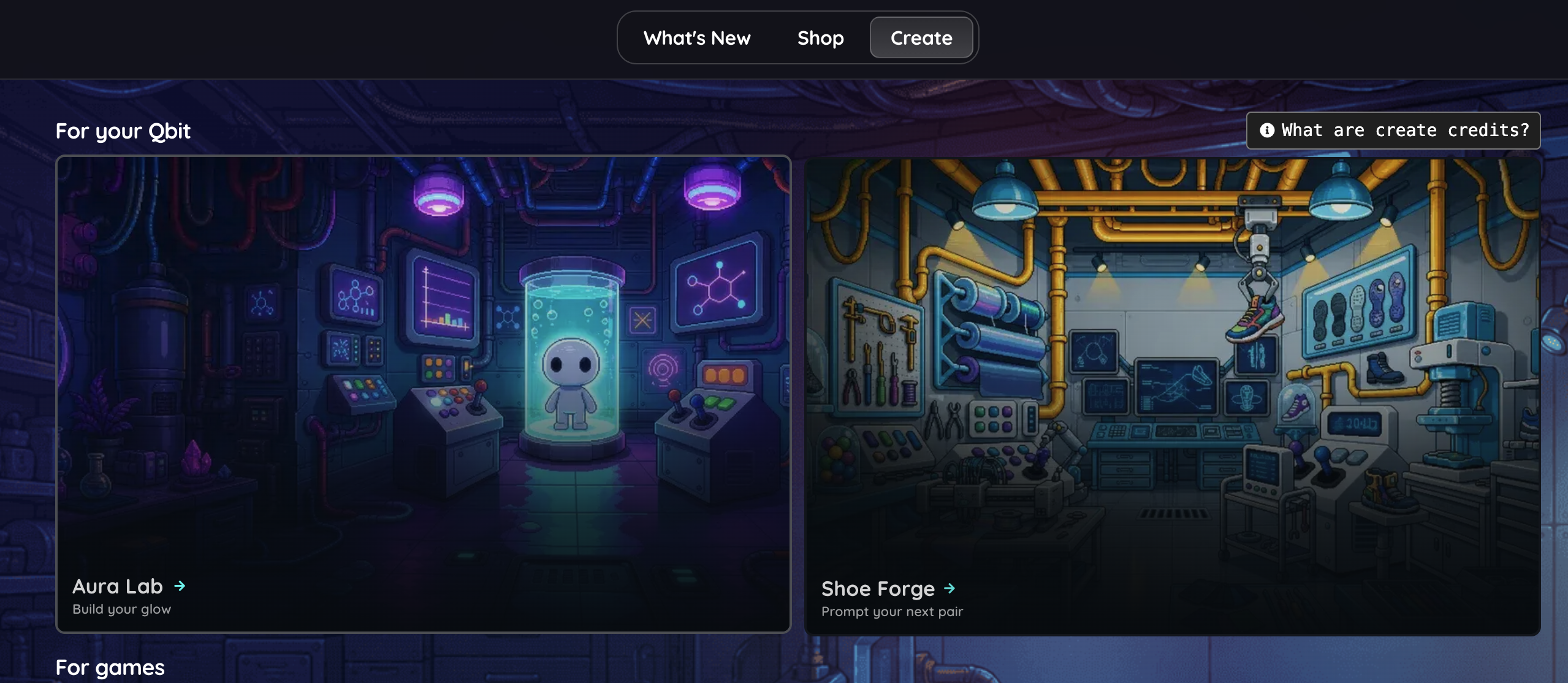
Open the Shop from the student account.
Click on the 'Create' tab at the top of the screen.
Click on 'What are create credits?' in the top right corner to view the details for the balance.
Select any creation experience, such as 'Aura Lab' or 'Shoe Forge', to start building once you have confirmed your remaining credits.
Pro Tip: Check your balance before you start a session so you can decide where to spend your next generation.
How to make credits count
A little planning goes a long way. Here are a few habits that help:
Write out the prompt idea before you submit it, so the first try is the one you want
Be specific about colors, styles, and details
Save a credit or two for the activities you play most often
That's it. You now know how create credits work, where they are spent, and how to check the balance before next generation.
Related articles
How Students Can Use the Live Whiteboard During a Live Session
FAQ: Can I view the usage details and analytics for my school or district as an administrator?
Still have questions? Contact our support team at support@wayground.com.
Was this article helpful?
That’s Great!
Thank you for your feedback
Sorry! We couldn't be helpful
Thank you for your feedback
Feedback sent
We appreciate your effort and will try to fix the article