You can now work with other teachers in your school or district to easily manage and assign Accommodations to students. Once a teacher shares access with you, you’ll be able to:
Set up or edit Accommodations for their students
Share your own Accommodations dashboard with them
Sync updates so changes appear across all shared dashboards
Note:
- To work together, a teacher must first share access with you by adding your email
- You both need to be part of the same organization (same email domain)
- Once shared, you can edit each other’s Accommodations and sync updates across your dashboards
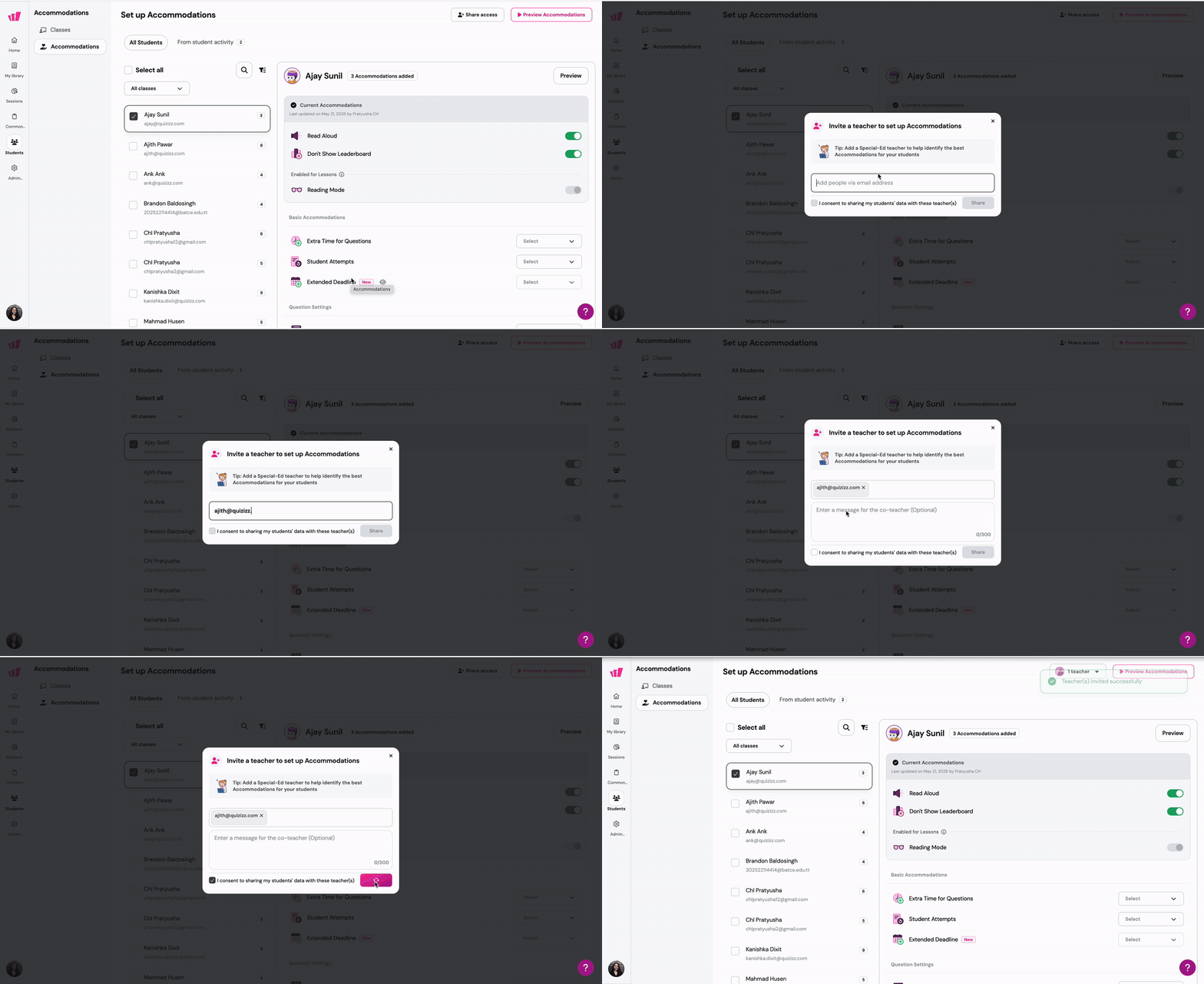
To share access to your dashboard with another teacher:
Click on the 'Share access' button
Enter the email address(es) of the teacher(s) you want to invite
- Check the box for 'I consent to sharing my students' data with these teacher(s)'
- Click on 'Share'. Now, they will be able to assign Accommodations to your students
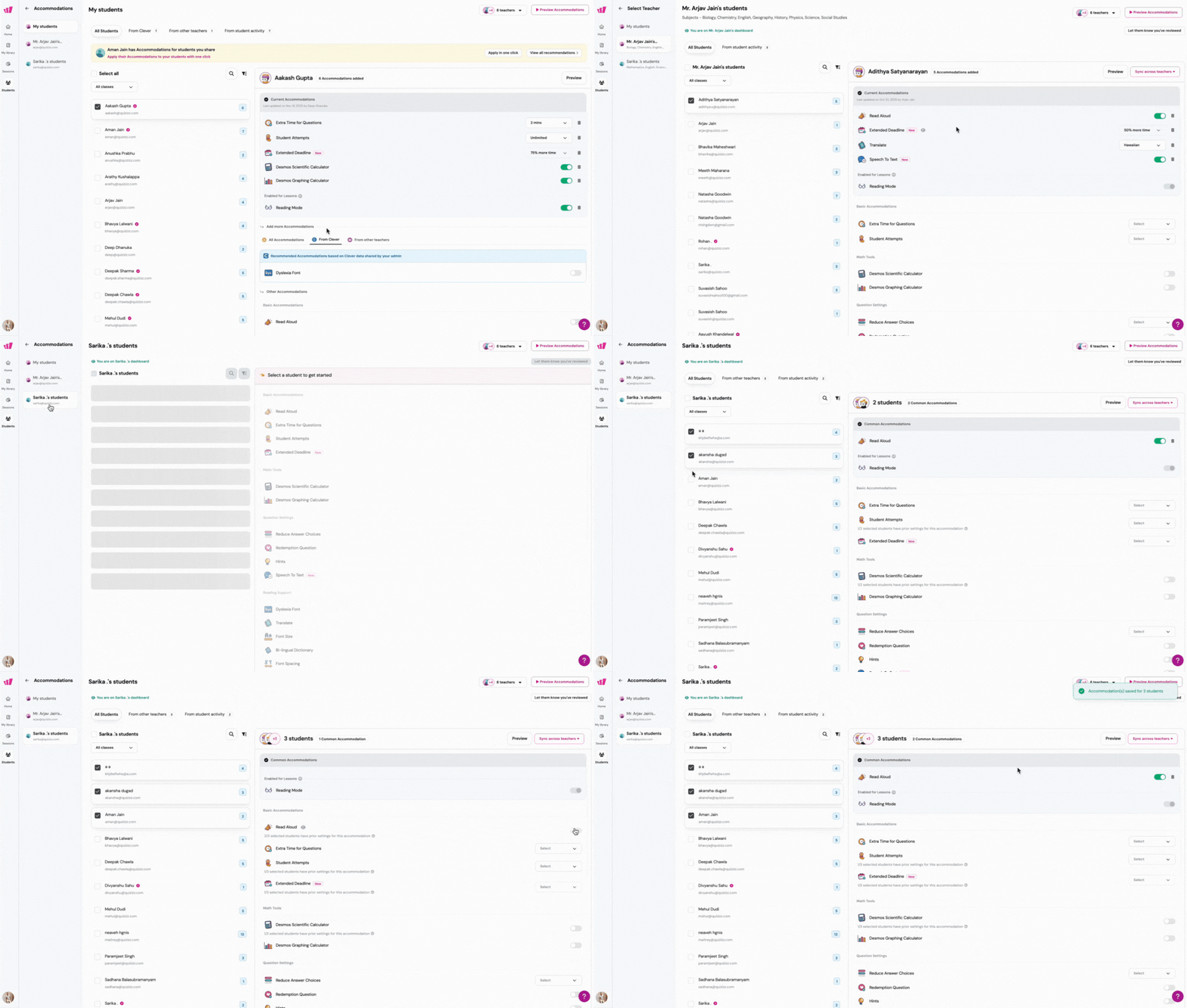
To view the dashboards of teachers who have granted you access:
- Click on the teacher's profile for whom you're setting Accommodations. You'll find the list on the left side of your screen.
- Assign Accommodations following the steps above
- Click on 'Save changes'
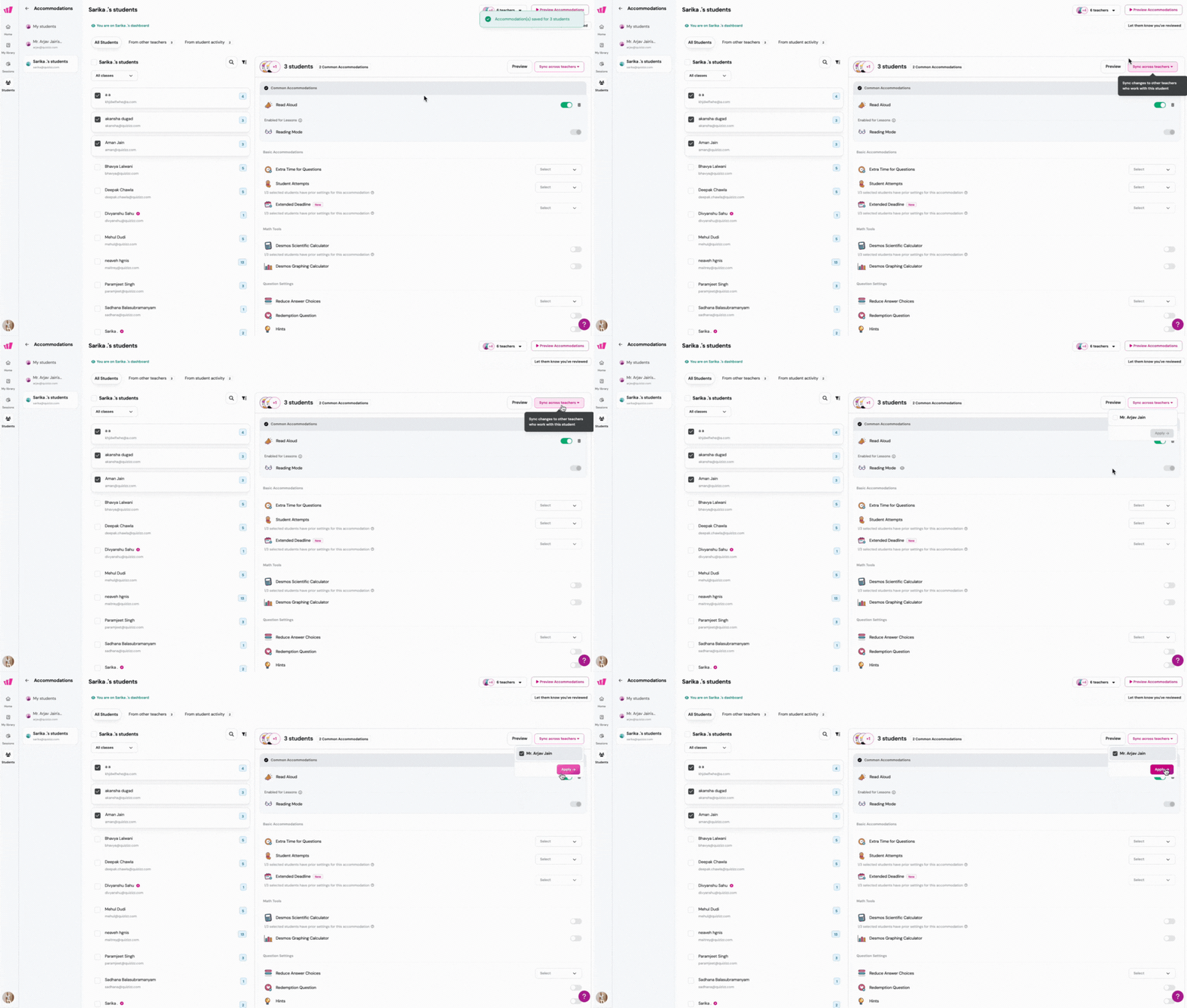
To apply and sync these Accommodations across the dashboards shared with you:
- Click on 'Sync across teachers'
- Select the teacher(s) whose dashboard(s) you want to sync with the Accommodation changes you've made
- Click on 'Apply'
Who benefits from this
Shared access is especially useful for teams who manage the same students across multiple classrooms. Co-teachers can coordinate accommodations without switching accounts, special education staff can update settings on behalf of general education teachers, and grade-level teams can maintain consistent accommodations across all sections. Once access is shared, both teachers can edit each other's accommodations, making collaboration seamless.
Was this article helpful?
That’s Great!
Thank you for your feedback
Sorry! We couldn't be helpful
Thank you for your feedback
Feedback sent
We appreciate your effort and will try to fix the article