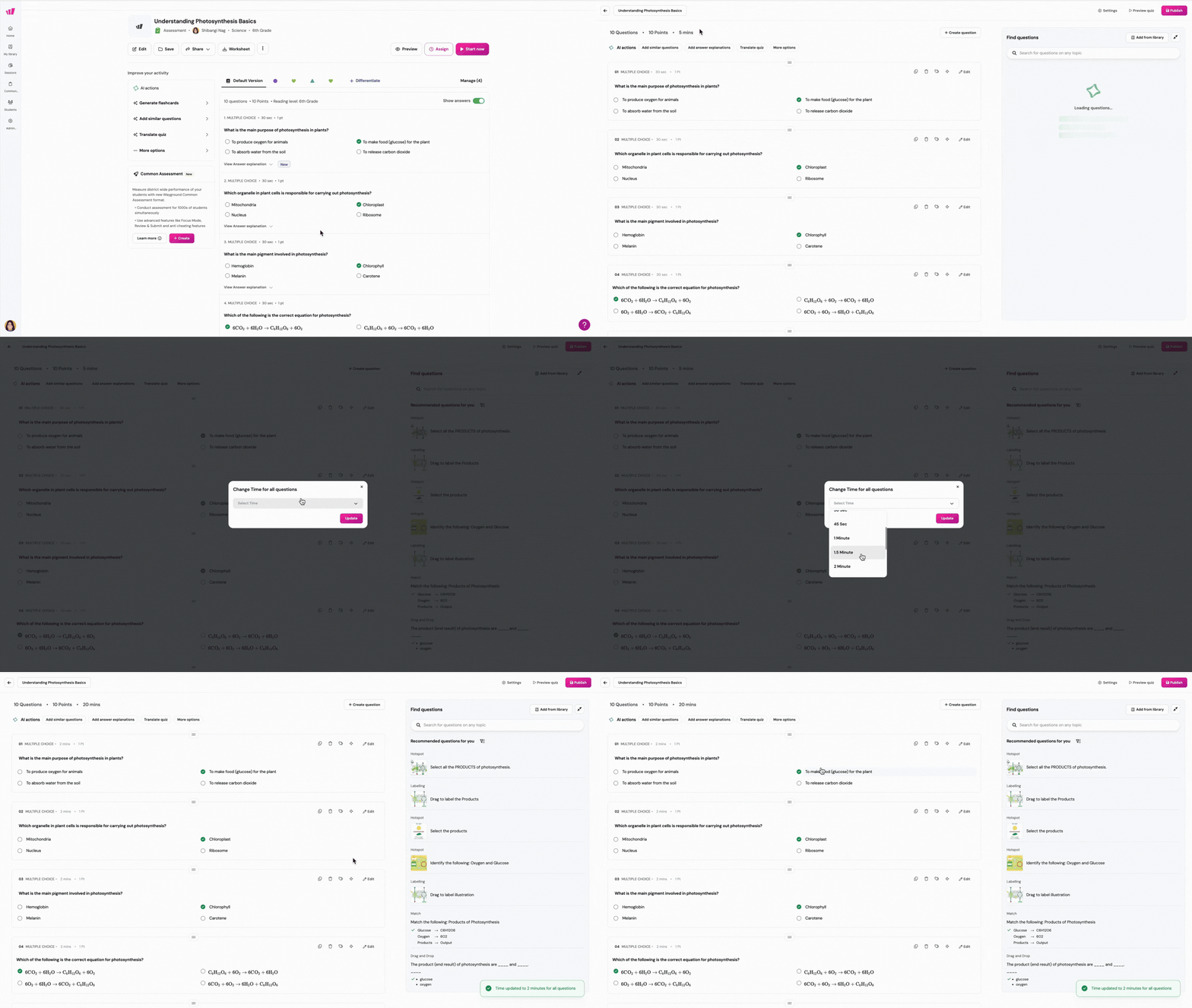
Yes, you can! When you edit an Assessment/Quiz,
- Find the time setting and click on it. It will be located at the top of the questions
- Use the drop-down to schoose the desired time duration for all the questions
- Click on 'Update'
- For the changes to reflect, click on 'Publish'
Was this article helpful?
That’s Great!
Thank you for your feedback
Sorry! We couldn't be helpful
Thank you for your feedback
Feedback sent
We appreciate your effort and will try to fix the article