Wayground's Canvas LTI integration lets your teachers assign Wayground activities right inside Canvas, with grades syncing straight back to the Canvas gradebook. Set it up once, and every rostered teacher in your organization can use it, no extra work on their end.
To set up this integration
- Your organization must be on a Wayground Schools & Districts plan
- You must have Admin access to your organization's Canvas account
You must have Admin access to Wayground
Setting up the integration
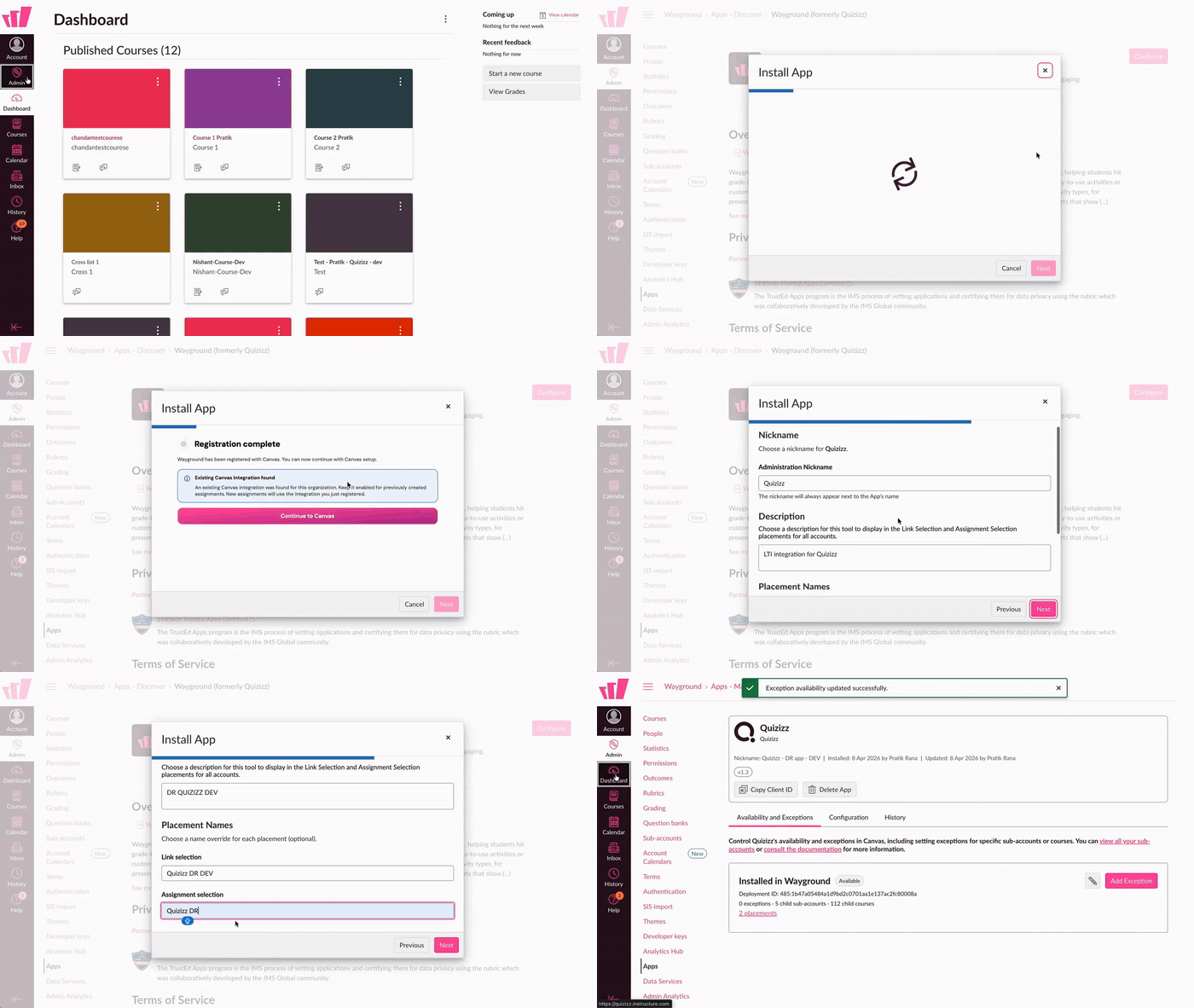
- In Canvas, go to Admin > Apps > Discover.
- Search for "Wayground," open it, and select Install.
- When Canvas hands off to Wayground, sign in with your Wayground administrator account.
- Pick the Wayground organization this integration should belong to. (If you only administer one eligible organization, Canvas skips this step for you.)
- Wayground registers the integration and sends you back to Canvas automatically.
- Canvas shows a couple of permission and placement screens, accept each one to finish.
Confirm it worked
Add a Wayground activity to a test course in Canvas and open it. If it launches and takes you into Wayground, the integration has been successfully set up.
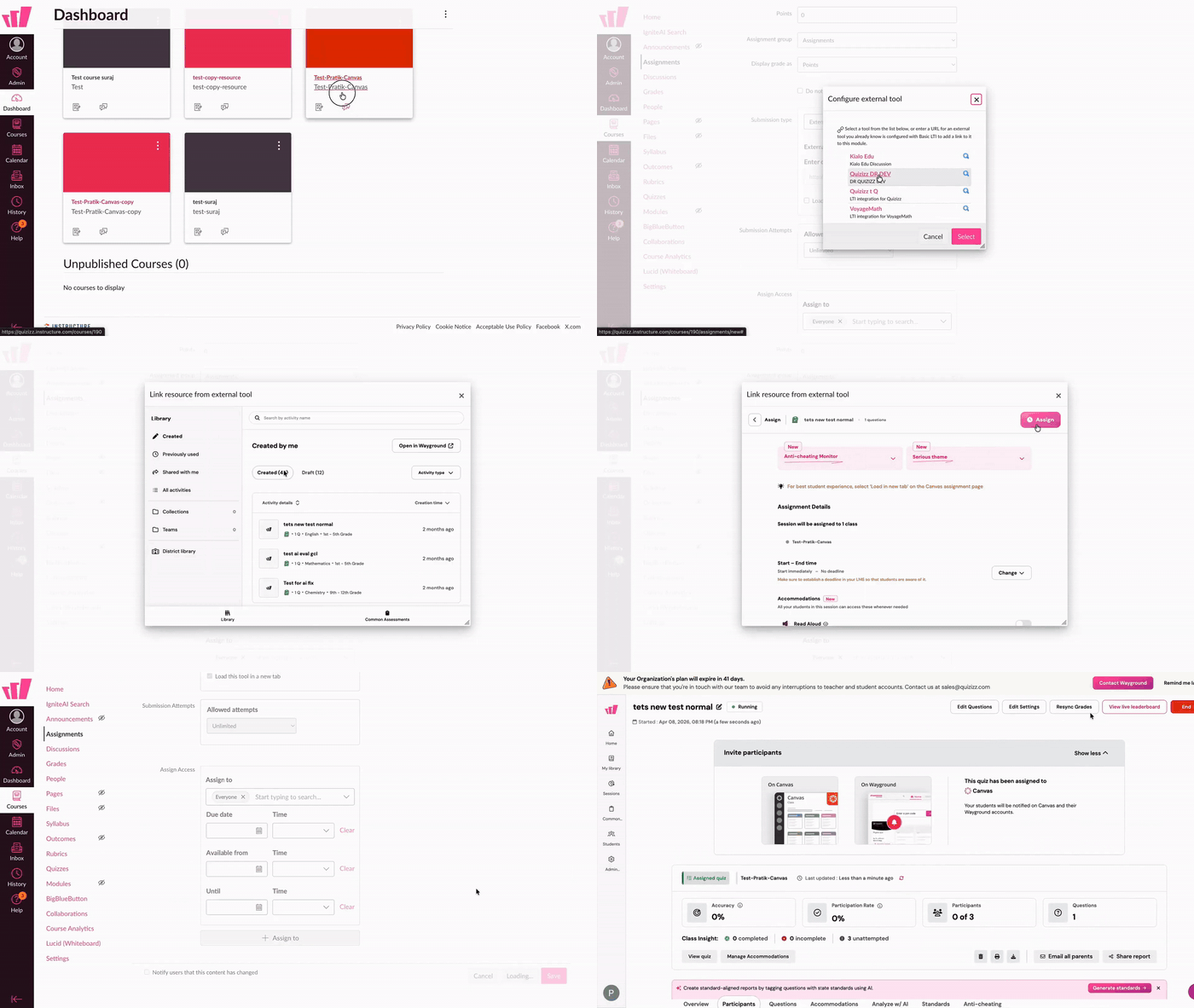
Want to see it from a teacher's point of view? Check out Assign a Wayground activity on Canvas via LTI (for teachers).
FAQ
- A teacher is unable to find Wayground, or is seeing a message asking them to "get rostered." What's going on? Only teachers rostered on your Wayground Schools & Districts plan can use the integration. Add them to the plan and they'll be able to link Wayground activities right away.
- We already have Wayground working in Canvas do we need to redo this? Nope. If your existing integration works, leave it alone. Just renaming Quizizz to Wayground on an existing install? See Rename your Quizizz LTI to Wayground.
Related articles
Integrate Wayground with Canvas via LTI as an Administrator (Legacy: Developer Key setup)
Rename your Quizizz tool to Wayground in Canvas
Assign a Wayground activity on Canvas via LTI (for teachers)
FAQs: Wayground x Canvas Integration via LTI
Was this article helpful?
That’s Great!
Thank you for your feedback
Sorry! We couldn't be helpful
Thank you for your feedback
Feedback sent
We appreciate your effort and will try to fix the article