TABLE OF CONTENTS
- What are Qbit Auras and Shoe Forge?
- Why these features matter
- How students create Auras and forged shoes
- Safety and content moderation
- Good to know
Students can add animated Auras and forge custom shoes for their Qbit. These two AI-powered features in the Avatar Shop give students a fun way to spend their Coins and personalize how their Qbit appears on Wayground.
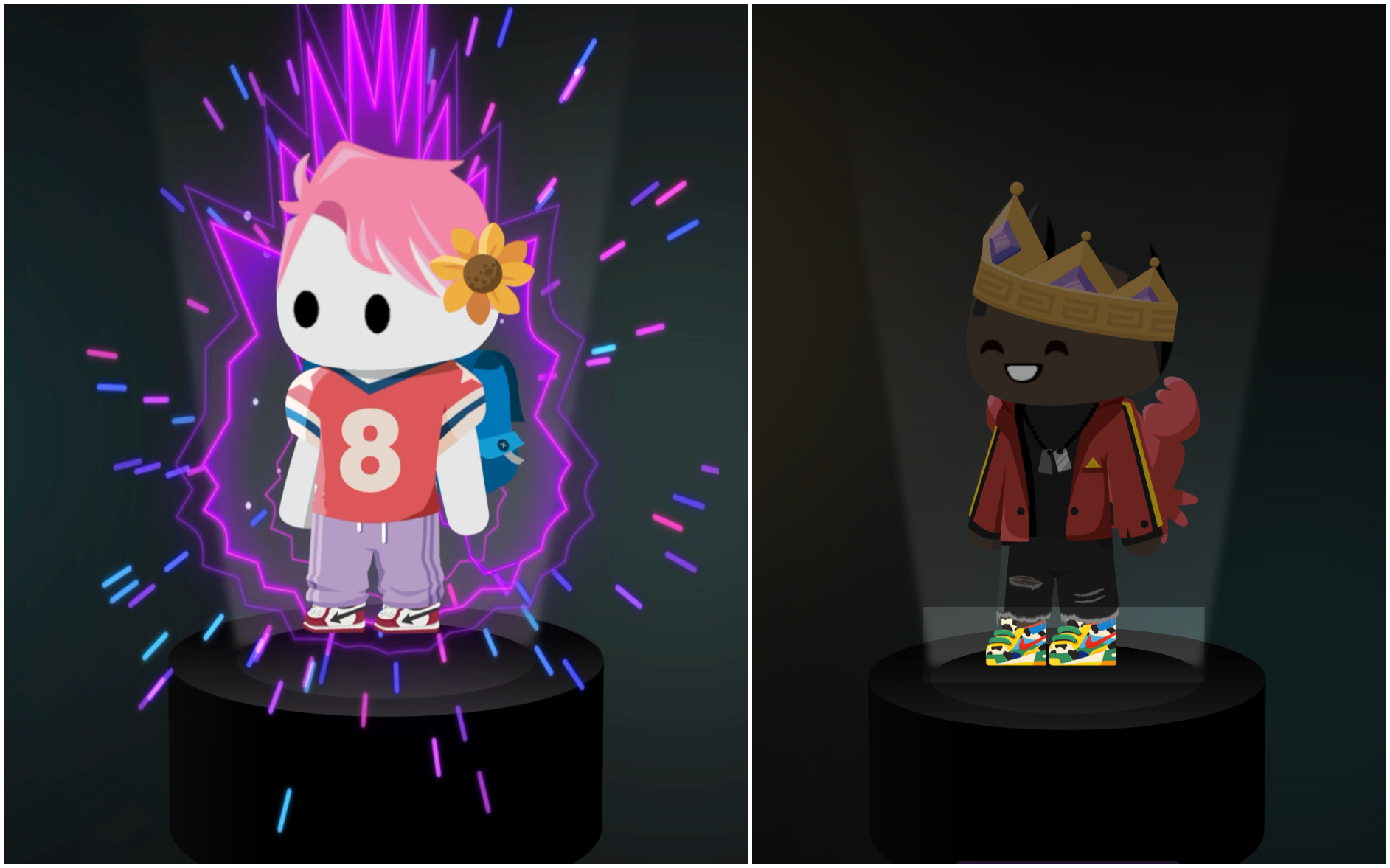
What are Qbit Auras and Shoe Forge?
Auras are visual effects (flames, sparkles, energy bursts) that surround a student’s Qbit, each with its own animation, color, and movement. Auras appear on the waiting screen before a session starts.
Shoe Forge lets students design and forge a one-of-a-kind pair of shoes for their Qbit. Forged shoes stay equipped and visible everywhere the Qbit appears.
Both features cost Coins and sit in the Avatar Shop alongside preset Auras and shoes (which don’t use AI). To learn more about how students earn and spend Coins, see Earn Coins to Shop for Your Qbits!.
Why these features matter
Auras and Shoe Forge give students a creative, visible reward to show off on their Qbit. When students have something fun to work toward and a way to express themselves, they keep showing up and participating on Wayground.
Both features let students describe what they want in their own words, turning a Coin spend into a small act of creative expression in a safe, guided environment.
How students create Auras and forged shoes
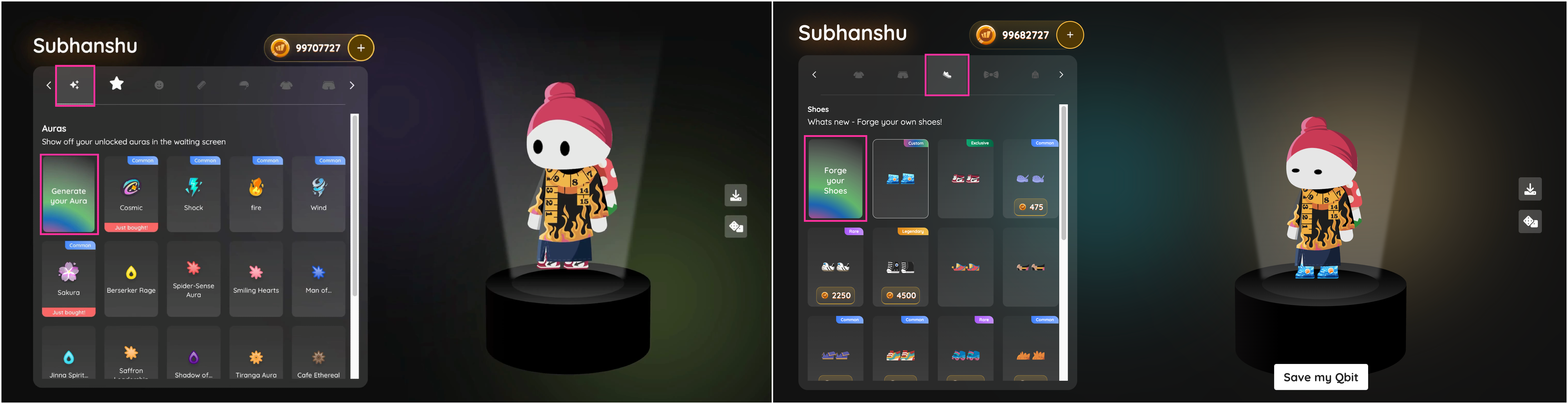
To open the Avatar Shop, students click Go to shop on the join page, or click the edit (pencil) icon next to their Qbit on the student dashboard.
For an Aura, open the Aura tab and select Generate your Aura.
For forged shoes, open the Shoes tab and select Forge your Shoes, the gradient tile at the top of the grid.
Generating a custom Aura in the Aura Lab
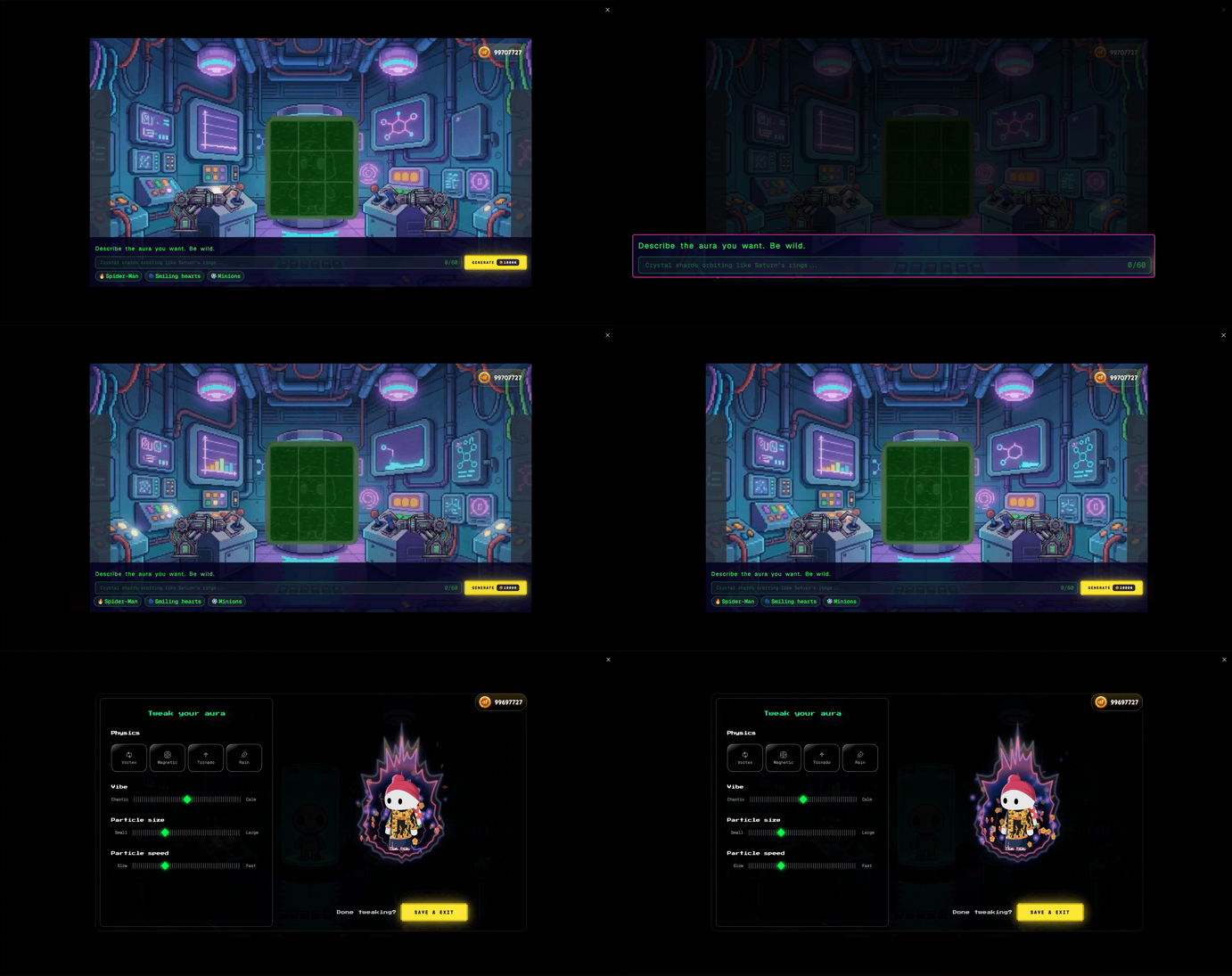
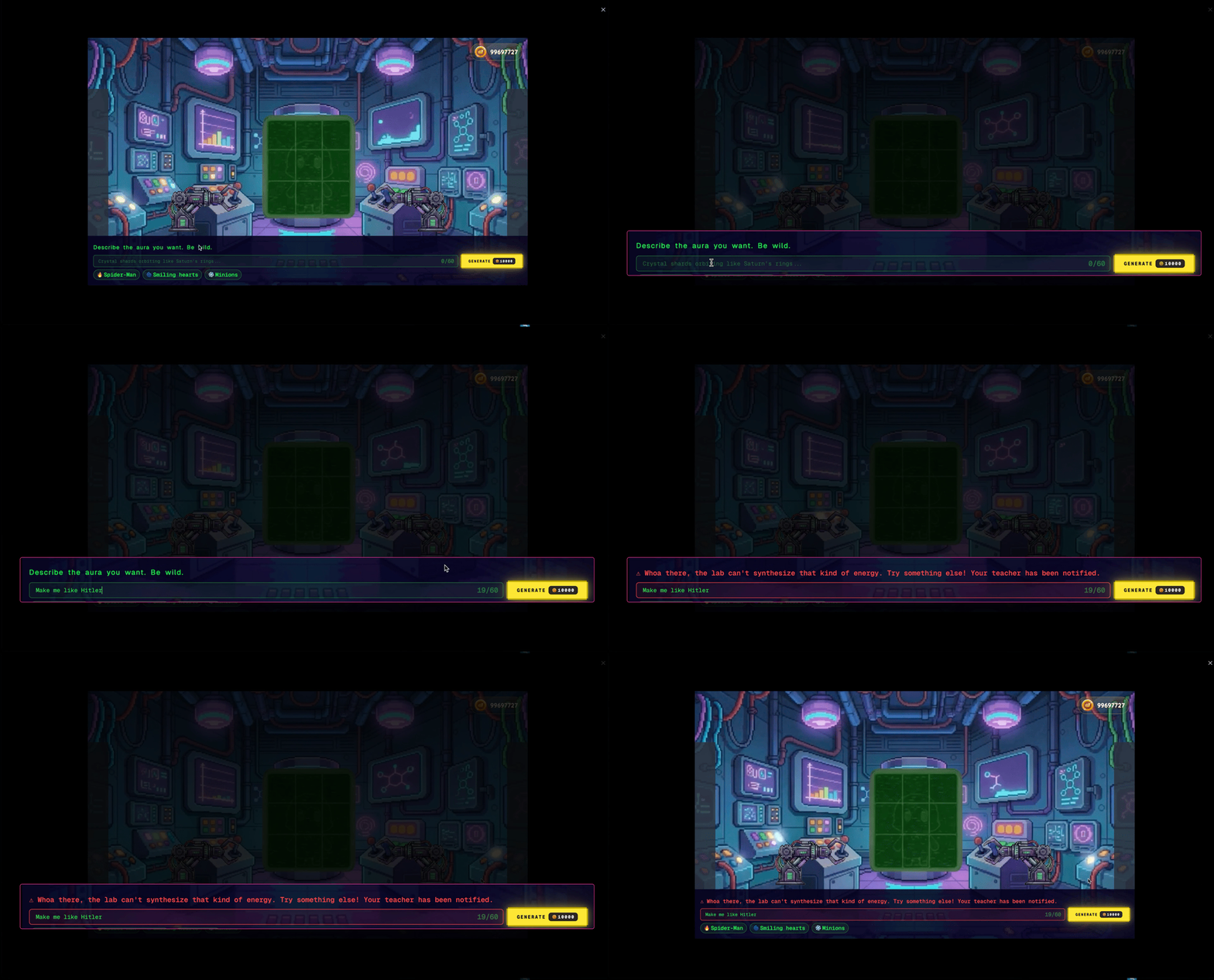
Selecting Generate your Aura opens the Aura Lab, where students create their Aura.
Type a description of the Aura (up to 60 characters), or pick one of the suggested prompts.
Click Generate. A confirmation dialog shows the Coin cost.
Once the Aura is ready, the Tweak your aura panel lets students fine-tune physics, vibe, particle size, and particle count, with a live preview on their Qbit.
When happy with the result, click Save & exit. The Aura saves automatically, and the Qbit will appear with the new Aura on the waiting screen before a session starts.
Forging custom shoes in the Proto-Lab
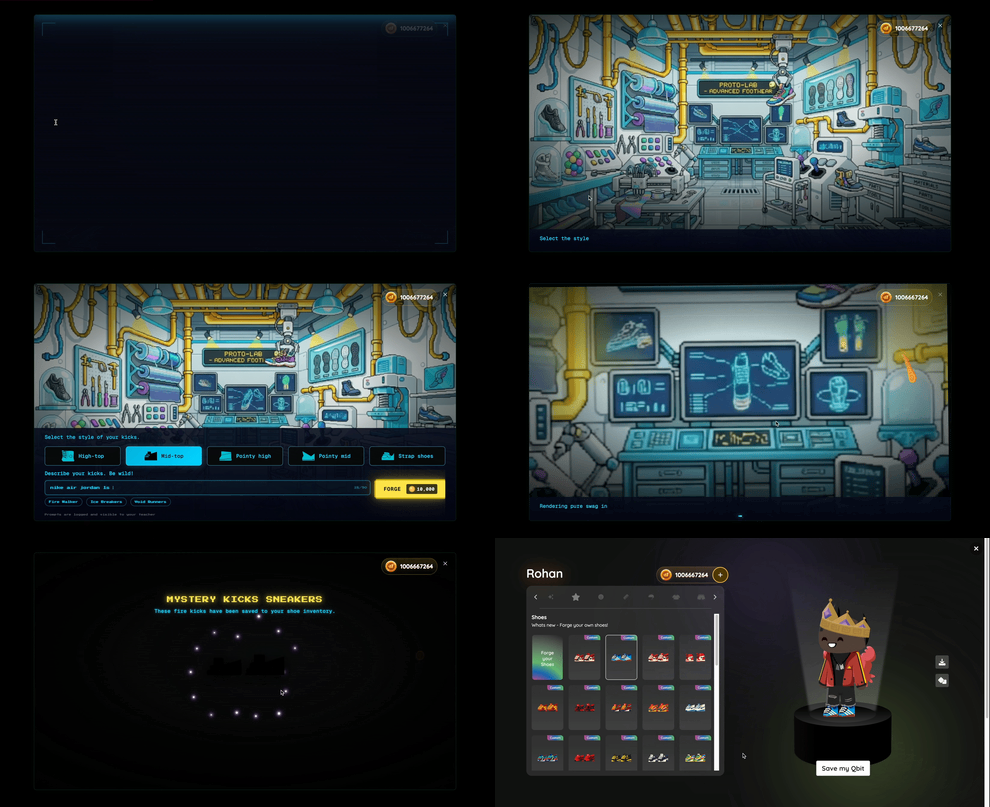
Selecting Forge your Shoes opens a brief welcome screen for the Q-Bit Shoe Workshop, then takes students into the Proto-Lab to design their pair.
Choose a shoe style. Five styles are available: Boots, Mids, High Collar, Mid Collar, and Sandals.
Type a description of the shoes (up to 90 characters), or click a suggested prompt (for example, Fire Walker, Ice Breakers, or Void Runners).
Click Forge, then Let’s go in the confirmation dialog to spend the Coins. A short animation plays (about ten seconds) while the shoes are generated.
When the shoes are ready, they appear on the reveal screen and save to the inventory. Click Equip now to put them on right away, or close the screen to wear them later.
Forged pairs are tagged Custom in the Shoes tab and stay visible on the Qbit everywhere it appears.
Safety and content moderation
Both features have built-in safety checks. The system blocks inappropriate language in the prompt and also screens the generated Aura or shoe itself, so unsuitable results are caught even when the prompt looks fine.
Good to know
Both features are cosmetic and do not affect grades, scores, or academic data. They are available to all students with Avatar Shop access.
Students need to earn Coins by playing on Wayground before they can create new Auras or forge new shoes.
Coins are deducted when the student confirms the spend. If generation fails, they are returned automatically.
Auras can be tweaked and re-saved in the Aura Lab. Forged shoes are saved as-is, but students can always forge a new pair.
Each AI-generated Aura and forged pair is unique. Two students typing the same prompt can get different results.
For a broader overview of how students customize and interact with their avatars, see Introducing Qbits: Customizable Avatars for Students on Wayground!.
Was this article helpful?
That’s Great!
Thank you for your feedback
Sorry! We couldn't be helpful
Thank you for your feedback
Feedback sent
We appreciate your effort and will try to fix the article