The Wayground Official Library is a collection of items and assessments created by our curriculum team, vetted by teachers, and aligned to the standards and the curriculum your district uses. This article shows you how to set it up.
Follow the below steps to configure Wayground Official Library for your organization:
- Log in to your Wayground account as an administrator.
- Select Admin Controls in the left sidebar, then select Wayground Library. You’re now on the Official Library setup page. Here’s where you align the library with what your teachers actually teach.
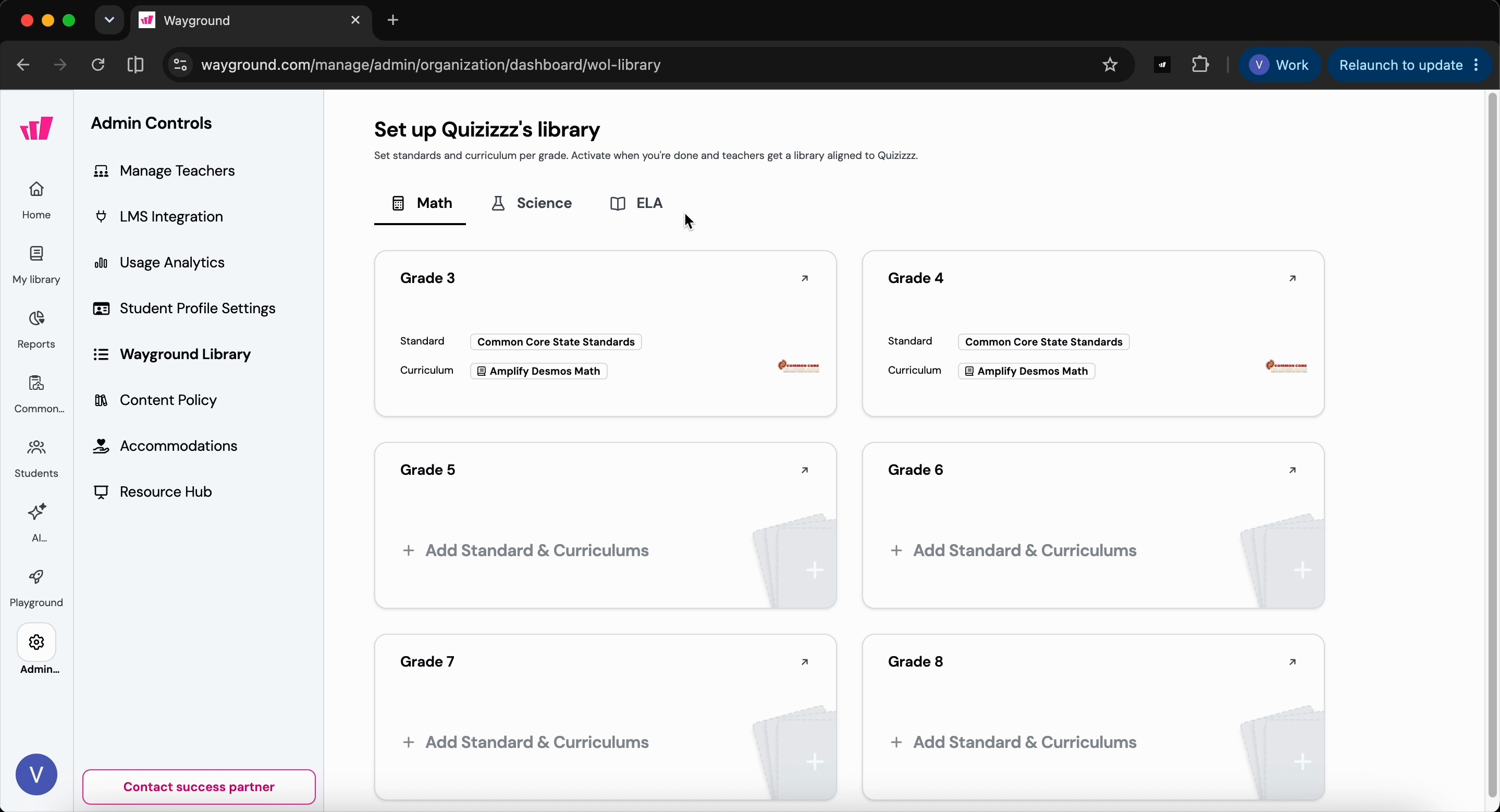
- Click on the card for the grade and subject you want to set up. Let’s use Grade 5 Mathematics as an example.
- Choose your state standard.
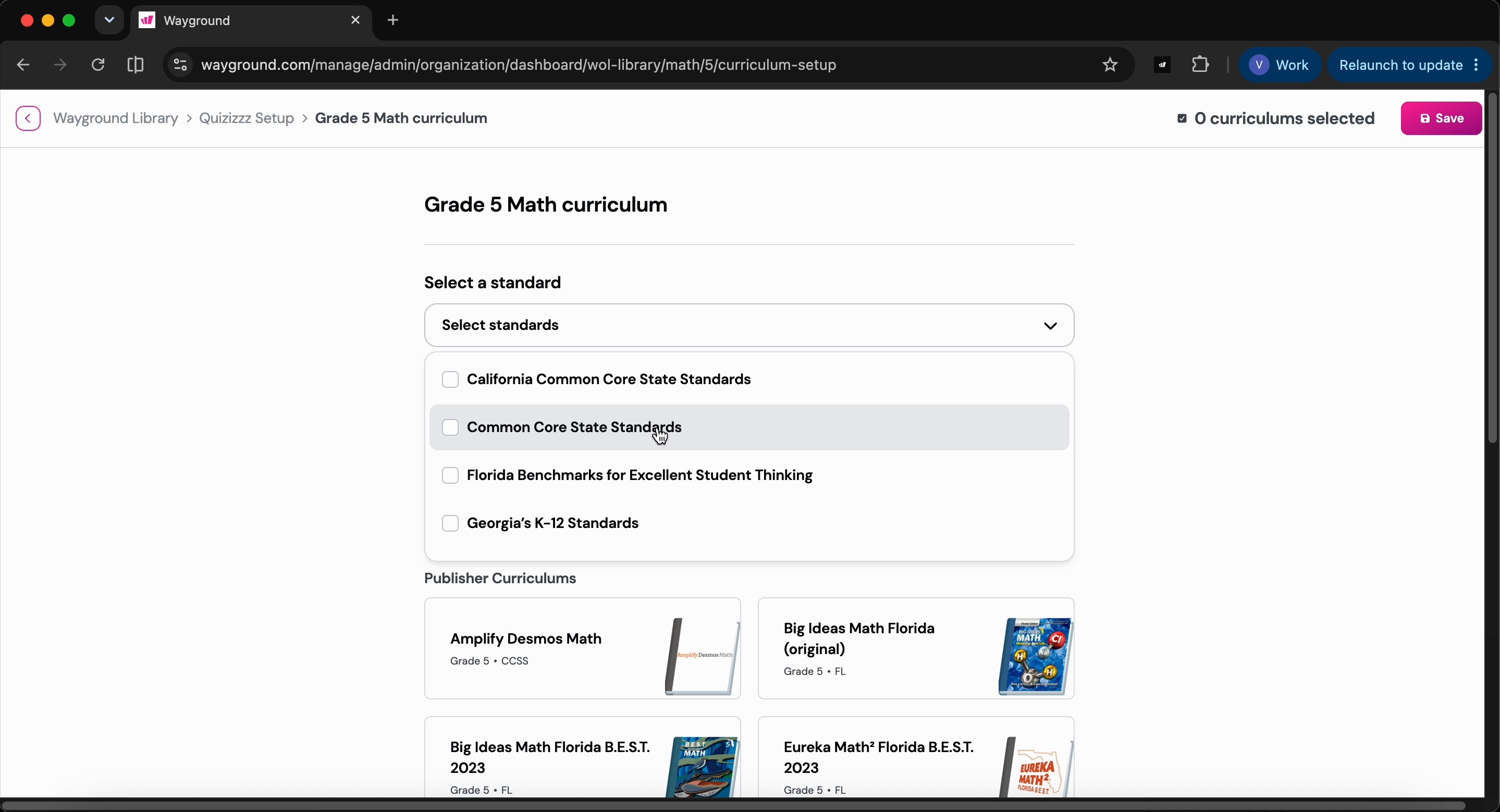
- Pick the curriculum your organization uses. If your curriculum isn’t listed, hit "Add custom curriculum". You can send you scope and sequence documents to your success partner, they will handle the alignment for you
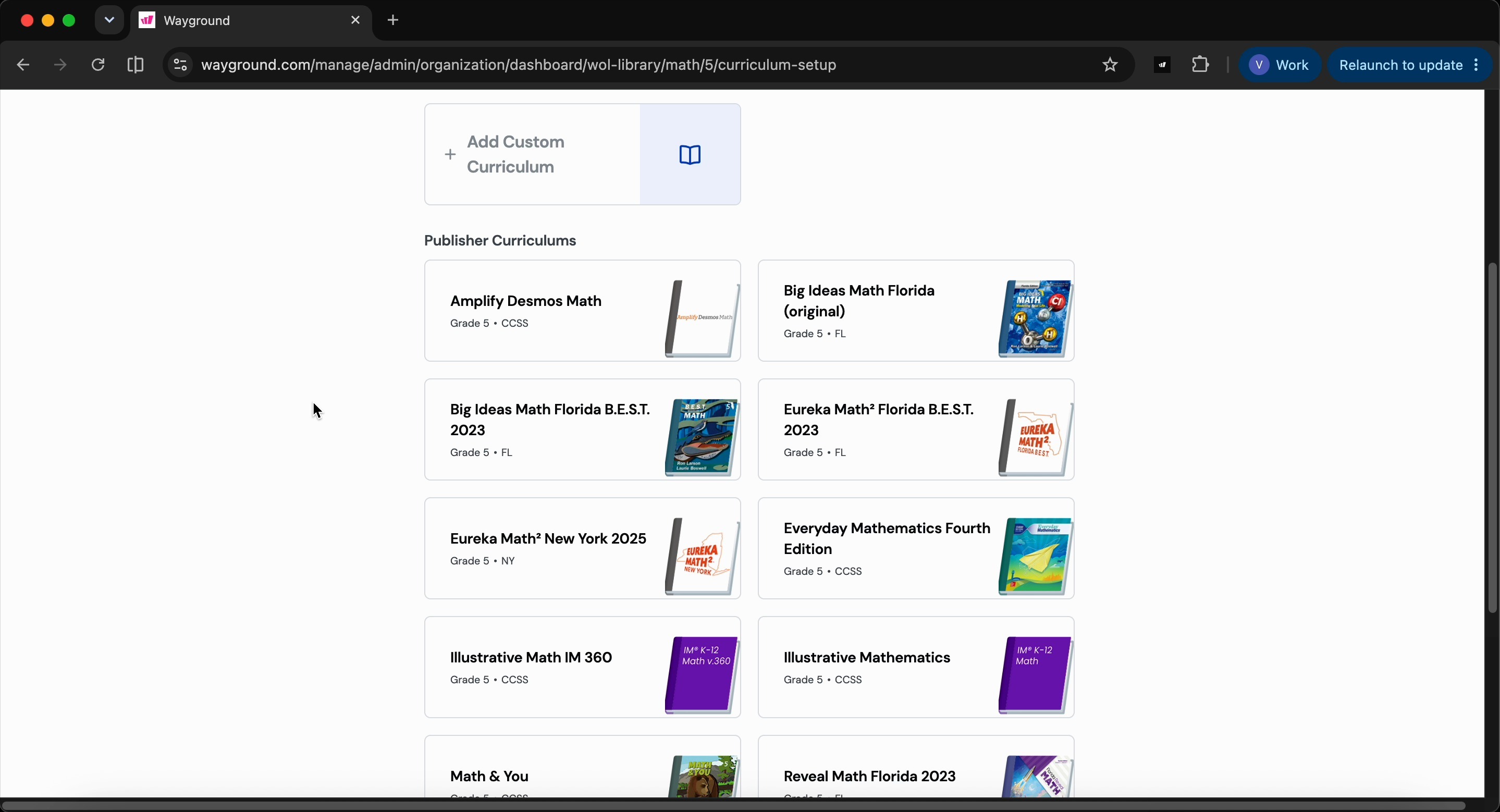
- Click Save to confirm your standard and curriculum.
- Repeat these steps for all other grades and subjects you want to align.
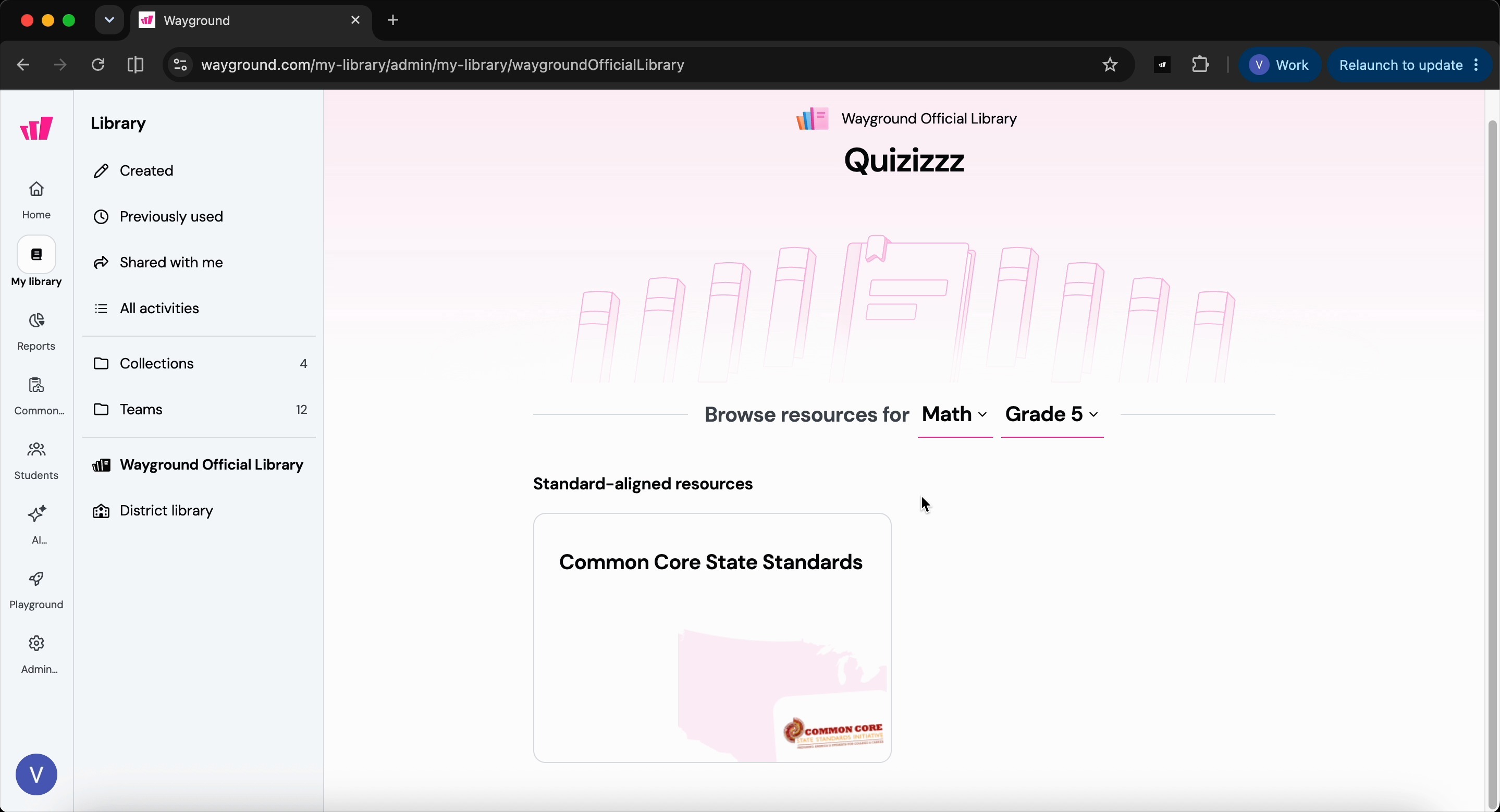
- Once you have finished the setup, your teachers can access the Wayground Official Library resources from the My Library section
Was this article helpful?
That’s Great!
Thank you for your feedback
Sorry! We couldn't be helpful
Thank you for your feedback
Feedback sent
We appreciate your effort and will try to fix the article