Share reports and resources with other teachers/collaborators in the same school or district. A collaborator can access and edit the resource just like a co-creator. Any updates made by collaborators are instantly saved and reflected for everyone who can view the shared resource.
To share resources, follow these steps:
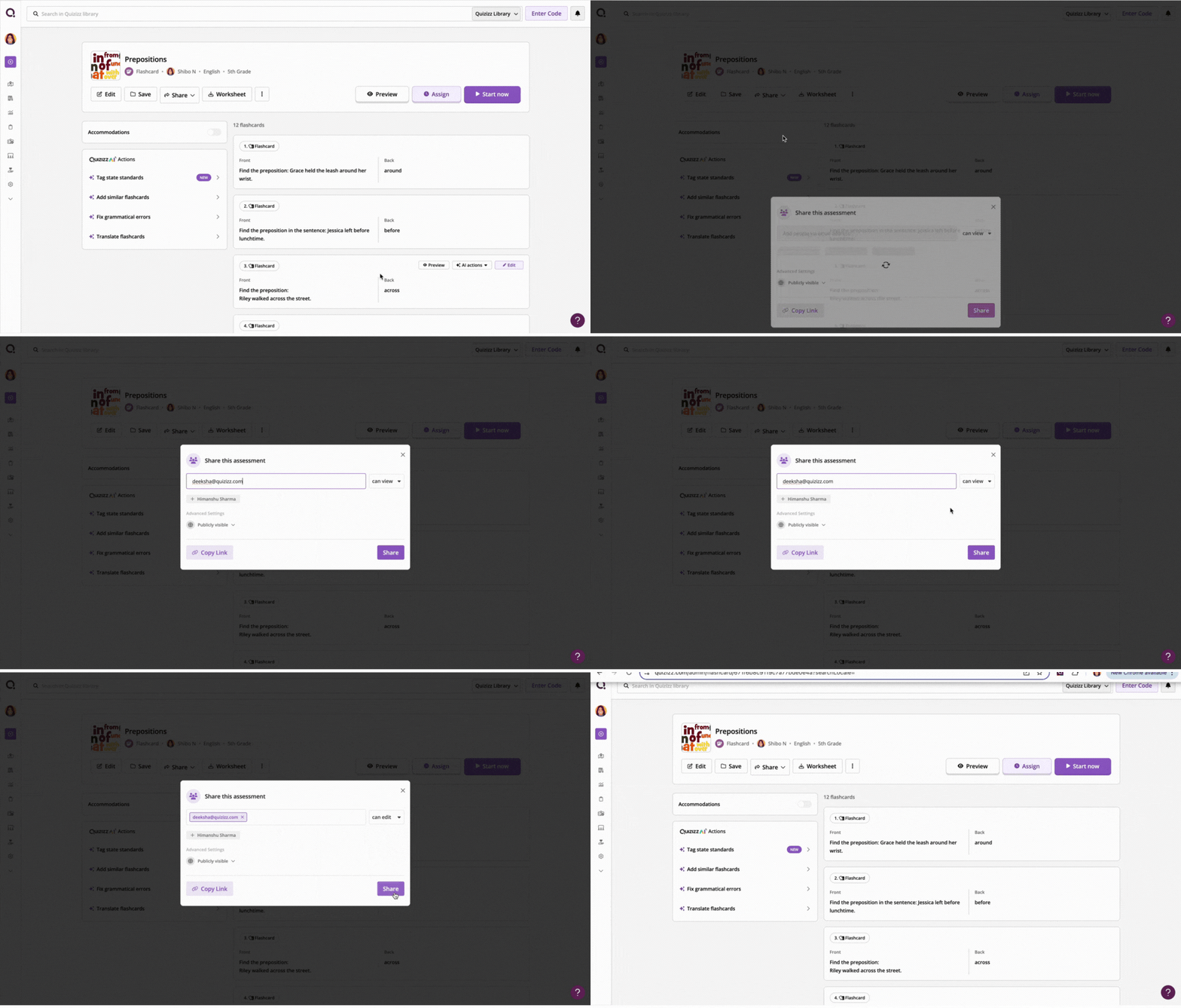
- 1. Select a resource from My Library and click on Share
- 2. Type in the email address of the teacher(s) you want to share the resource with. Select either can view or can edit
- 3. To see the resources shared with you, click Shared with me from My library
To share reports, follow these steps:
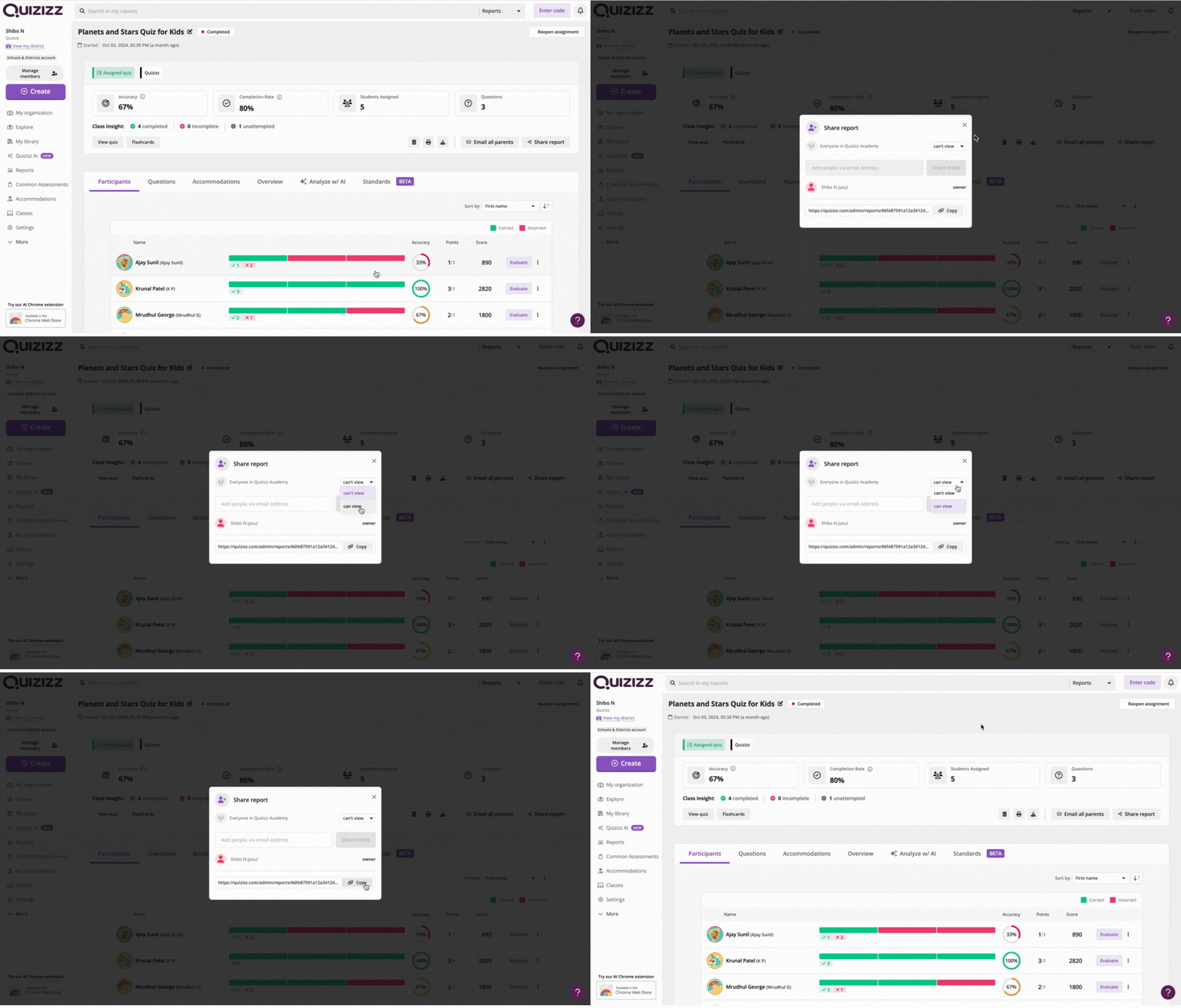
- 1. Once a live session or assigned homework is complete, click on Share report
- 2. Select either can view or can't view setting for the Wayground Academy in your school and/or district
- 3. You also have the option to download a report and share its URL with other teachers/collaborators within the same school and/or district
Note: If you would like to add collaborators to your classes so they can automatically access reports and assign resources to your students, consider adding co-teachers to your classes. To learn more about this, click here.
Was this article helpful?
That’s Great!
Thank you for your feedback
Sorry! We couldn't be helpful
Thank you for your feedback
Feedback sent
We appreciate your effort and will try to fix the article