For Students
Joining a Wayground session on Brightspace is a breeze! With the Wayground LTI integration, students can participate directly from their Brightspace assignments page without needing to switch between platforms.
Follow these steps:
- 1. Log in to your Brightspace account
- 2. Go to your 'Assignments' page
- 3. Find and click on the Wayground resource assigned by your teacher.
- 4. You will be automatically signed into Wayground — no need for additional logins!
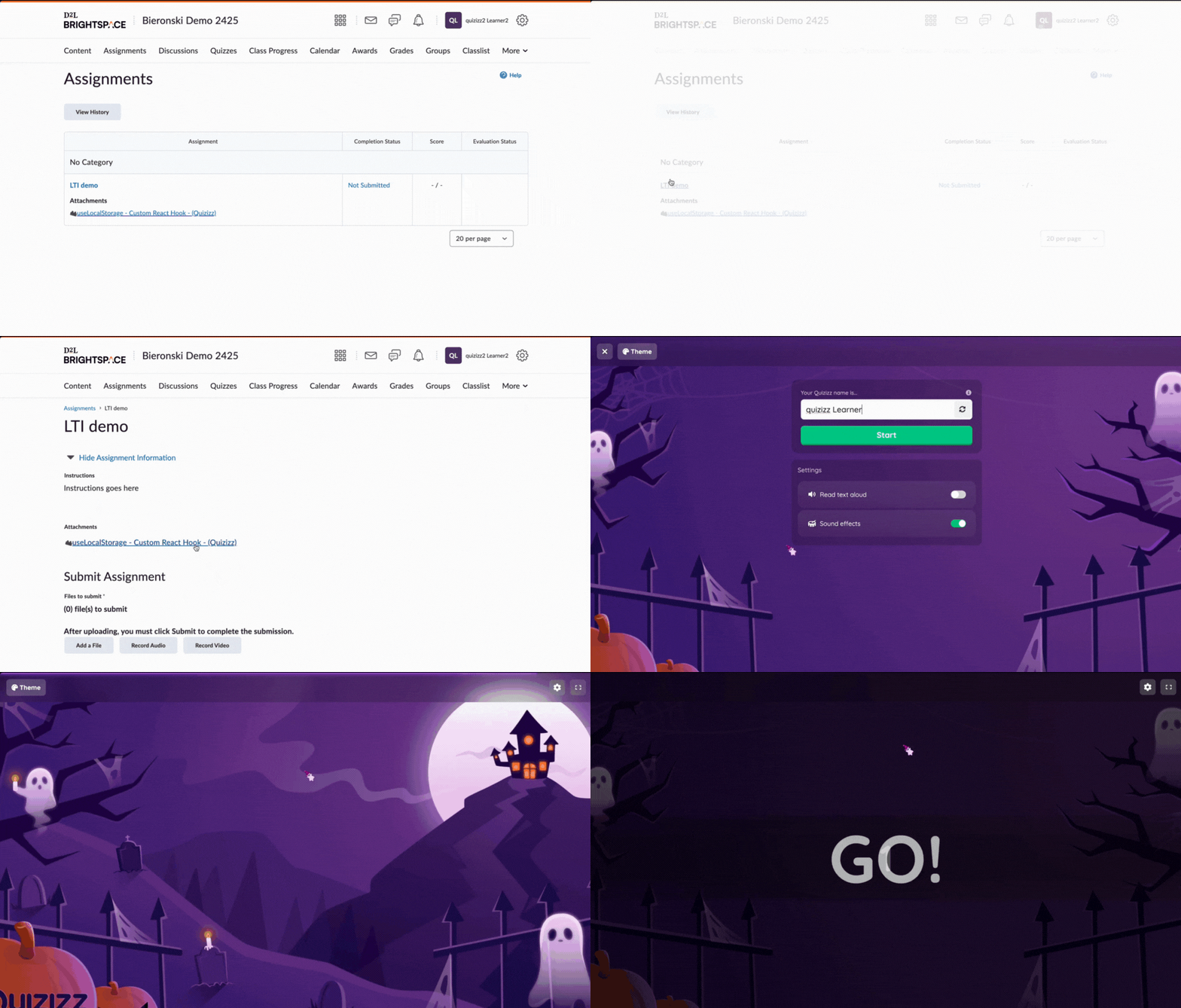
- 5. Follow the on-screen instructions to start the session
Note: If your teacher assigned a Common Assessment, you wait in the lobby after you open it. Your teacher lets you in when it's time to start. Some Common Assessments use LockDown Browser. If yours does, you'll see a message with the steps to open it. To learn more, refer to How to Join & Take a Common Assessment. - 6. Answer the questions to the best of your ability
- 7. After completing the session, submit your answers
Was this article helpful?
That’s Great!
Thank you for your feedback
Sorry! We couldn't be helpful
Thank you for your feedback
Feedback sent
We appreciate your effort and will try to fix the article